Wallet Top Up
Use PayPal to fund your account wallet
If you have PayPal account, you can follow these steps to top up your account:
-
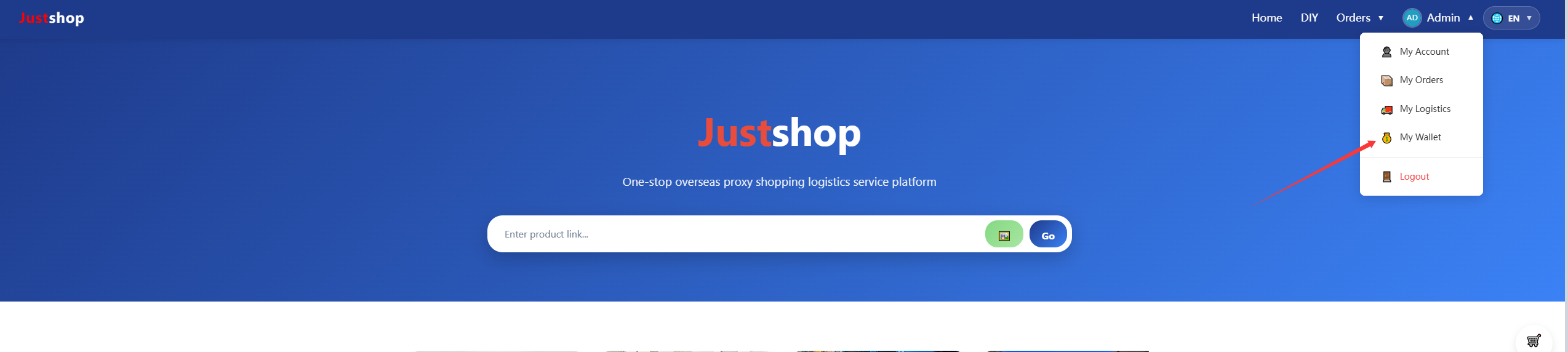
1、Login to your account, Select My Wallet under your account avatar
-
2、On the Wallet page, you can view your wallet balance, gift amounts, and spent amounts and Top-up History,
You can select the recharge tier you wish to purchase or choose a small-amount recharge option.,If you have other recharge needs, please contact us via the "Contact Us" link in the page footer.
The balance in your wallet can be used to pay for merchandise purchases or to buy VIP privileges.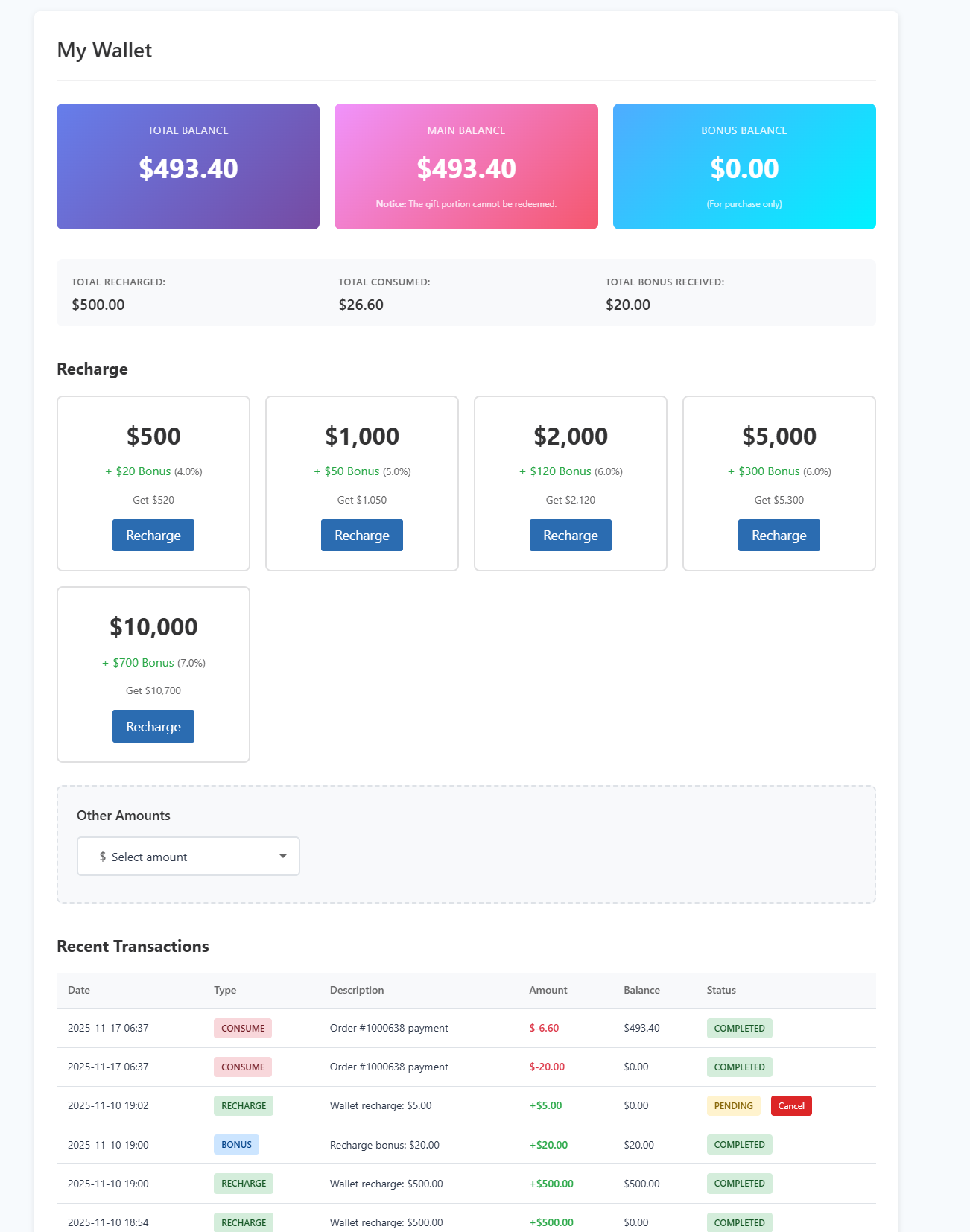
-
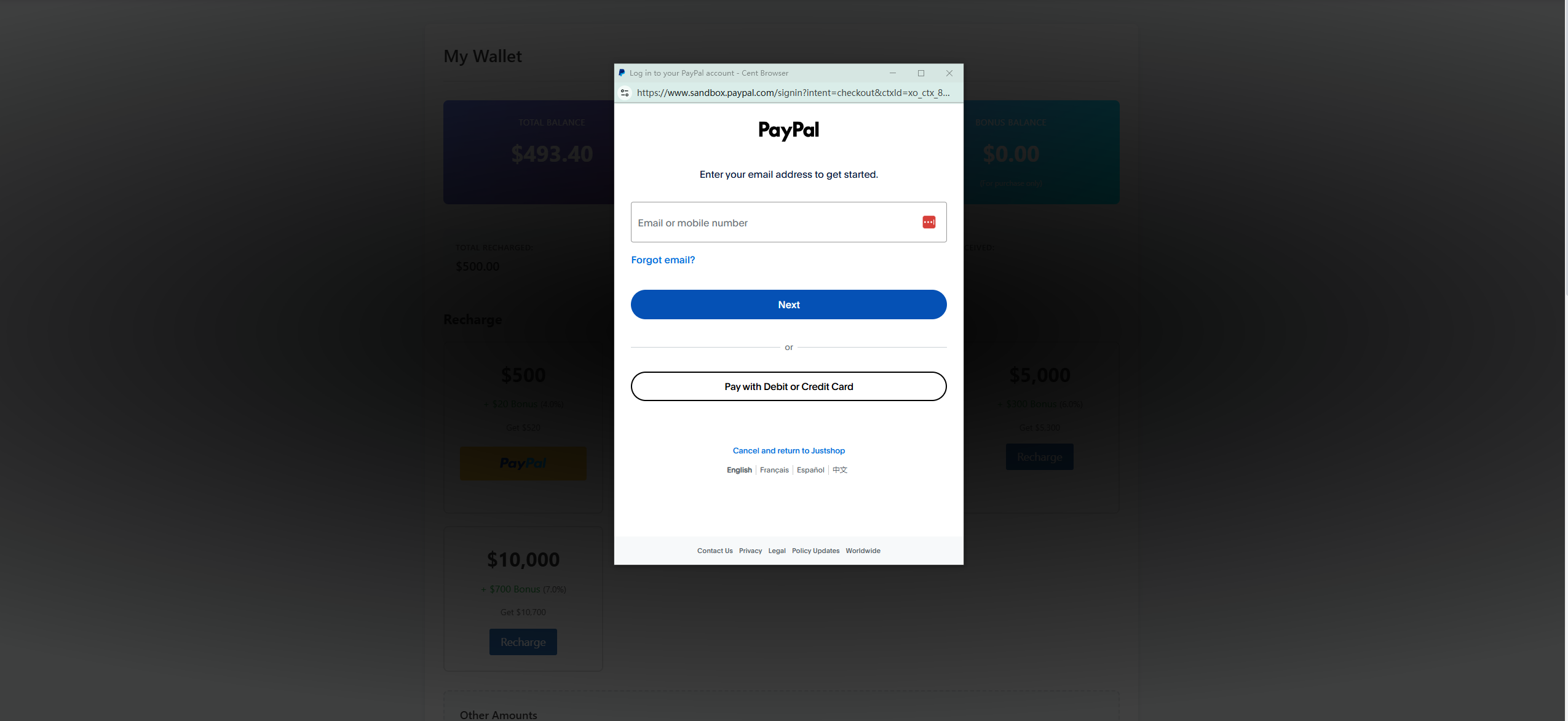
3、You may choose from our preset recharge tiers or opt for a custom small-amount recharge.
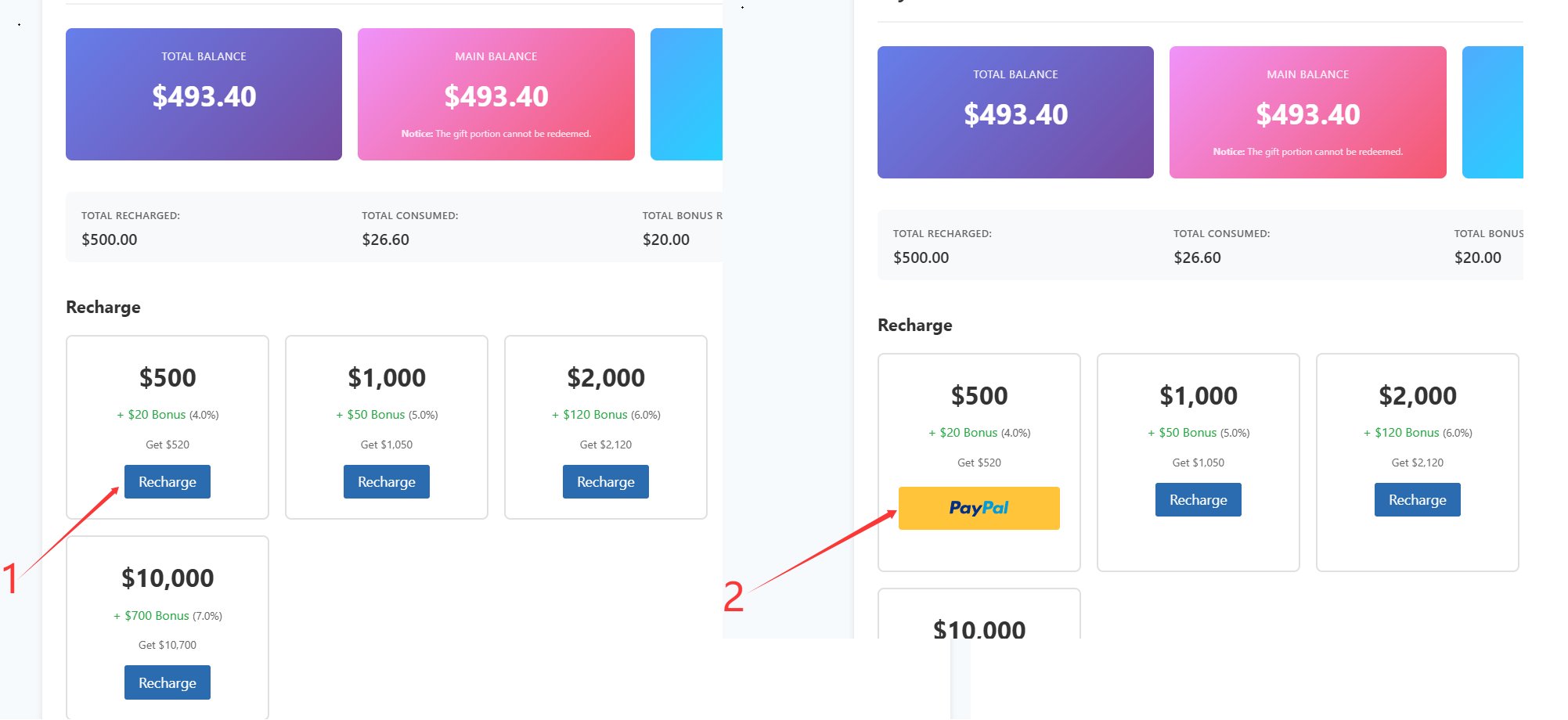
After selecting your recharge tier, click "Recharge" to open the PayPal login window and complete payment.
3.1、Small-amount top-up tiers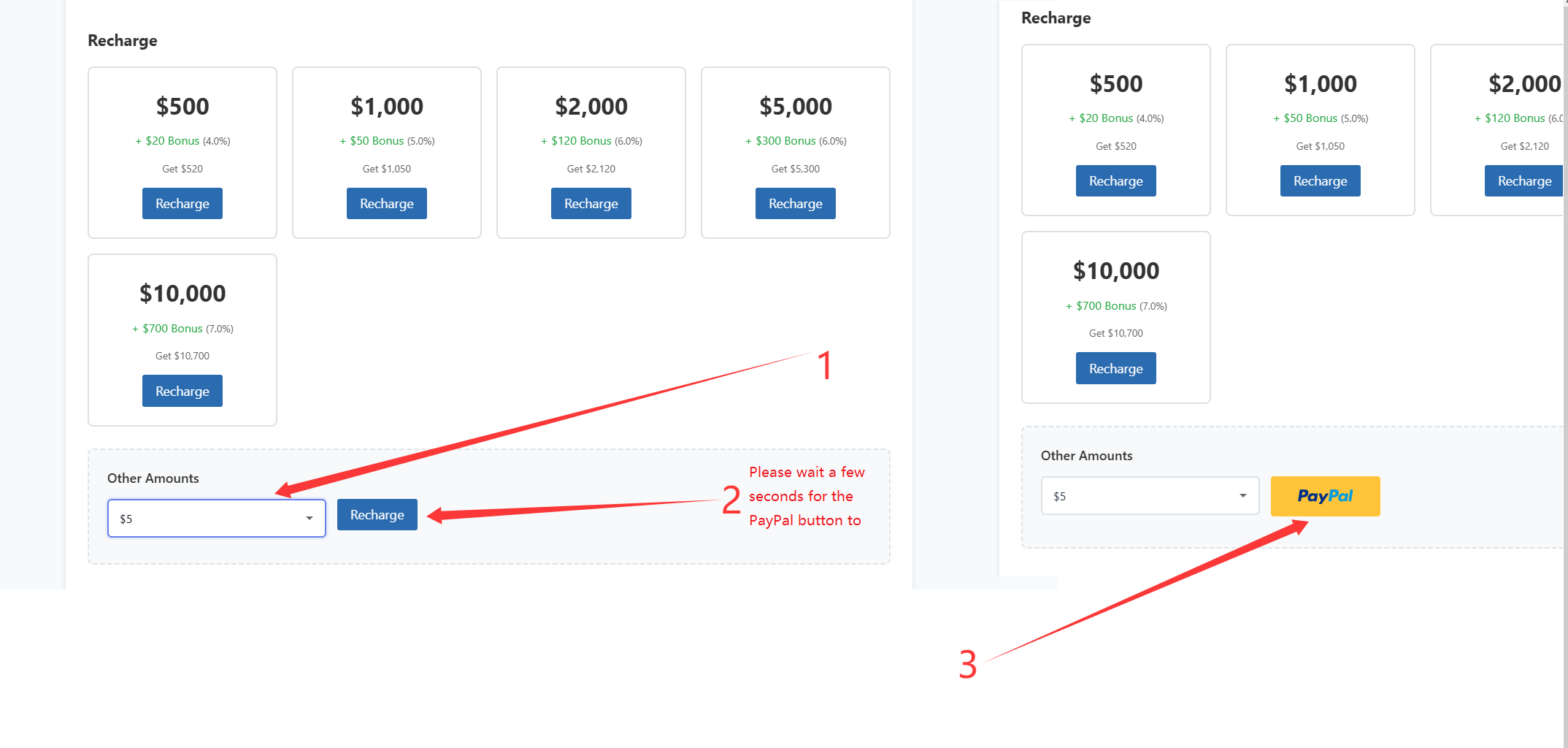
4、At the very top of the page, you will see your wallet's top-up amount and the corresponding bonus amount for that tier.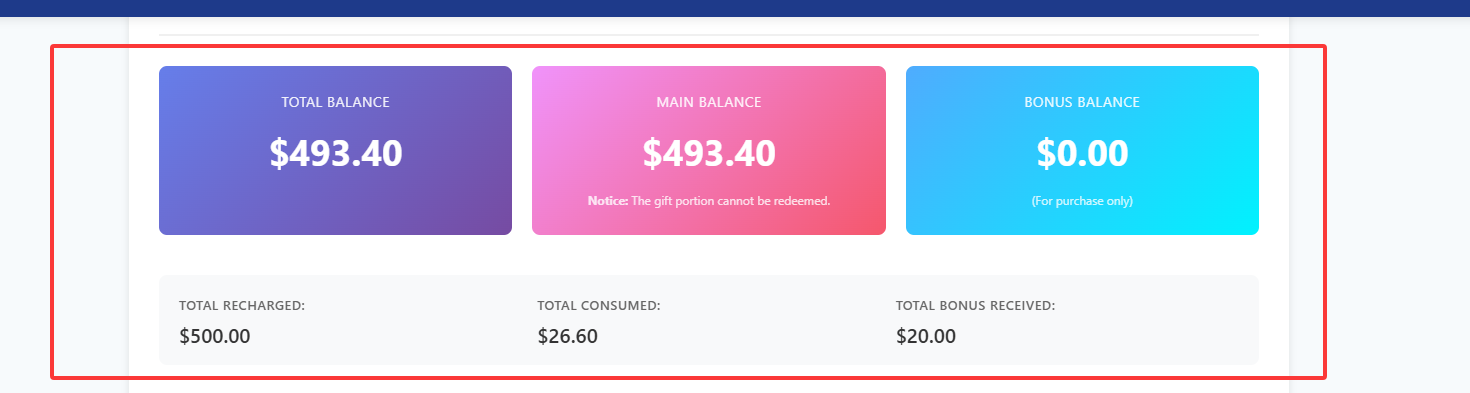
Important Notice:
Wallet topup generally not permitted for refund requests, If you require a refund for special circumstances, please contact our official customer service or add our official WhatsApp: +86 18923362015 and email: customer@justshopchina.com to explain the reason. JustShop will determine eligibility for a refund based on the specific circumstances.
After a refund request is successfully processed, JustShop will refund the amount to the buyer's designated PayPal account via PayPal.