how to use Justshop
Chapters
- 1 Search for products
- 2 Order Processing Section
- 3 Payment and Tracking of Logistics Fees
- 4 How to Use This Platform
Search for products
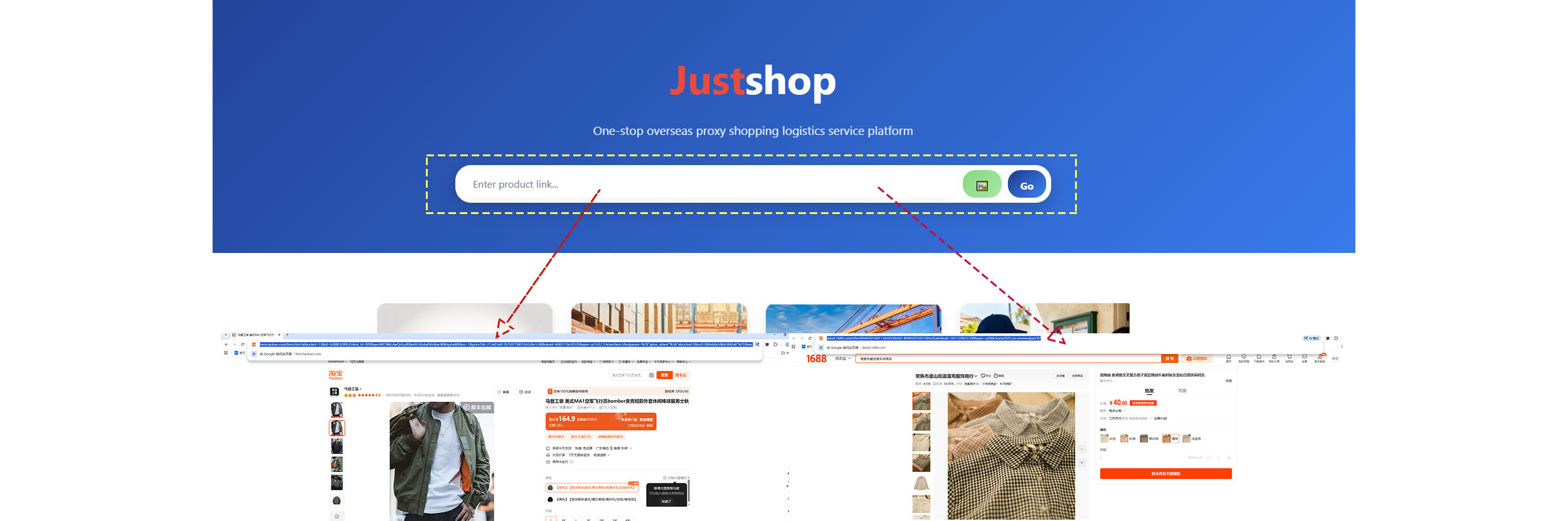
AYou can copy product links from Taobao, Weidian, or 1688, then click Go to start viewing the products.
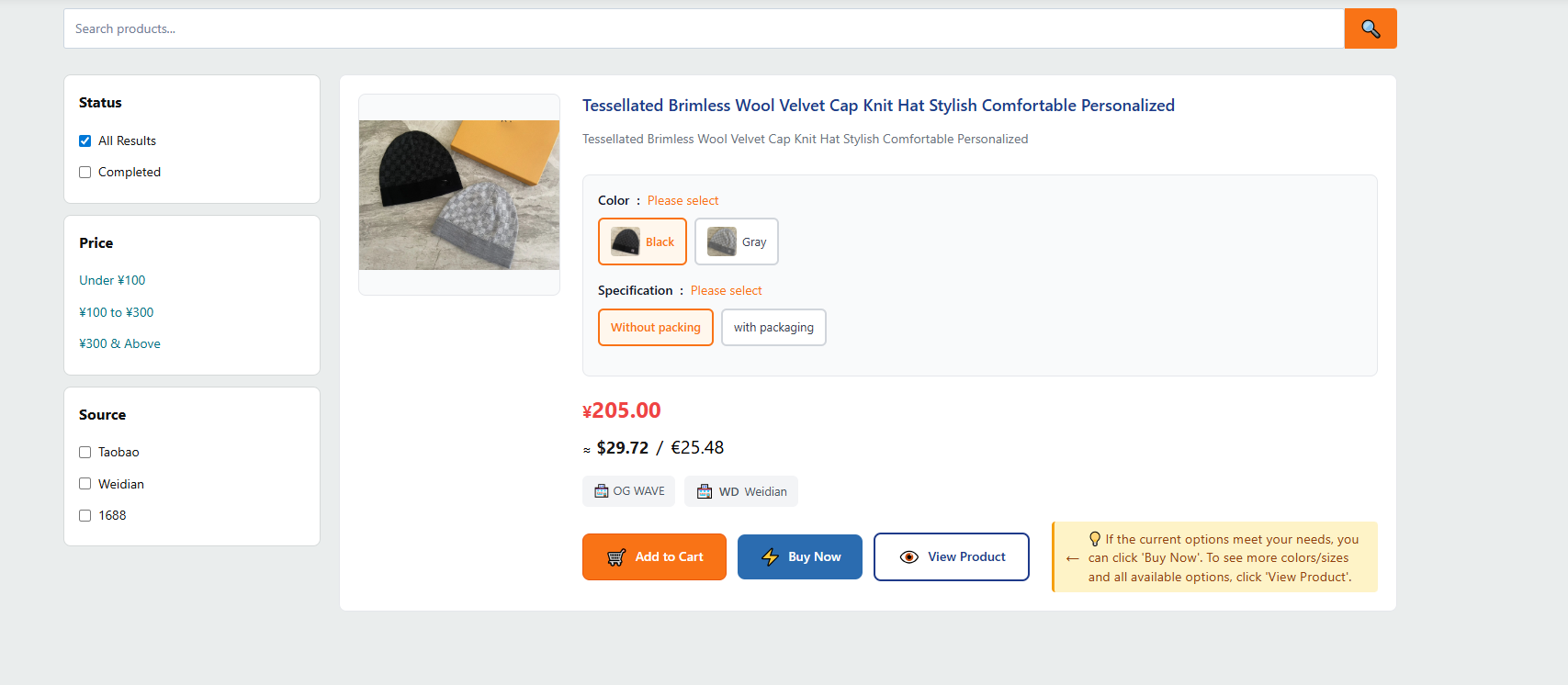
BAfter successfully finding the product, you can preview its details first. Then you can directly select the desired specifications and add them to your cart. Alternatively, you can click the “View Product” button to see more details and additional specifications.
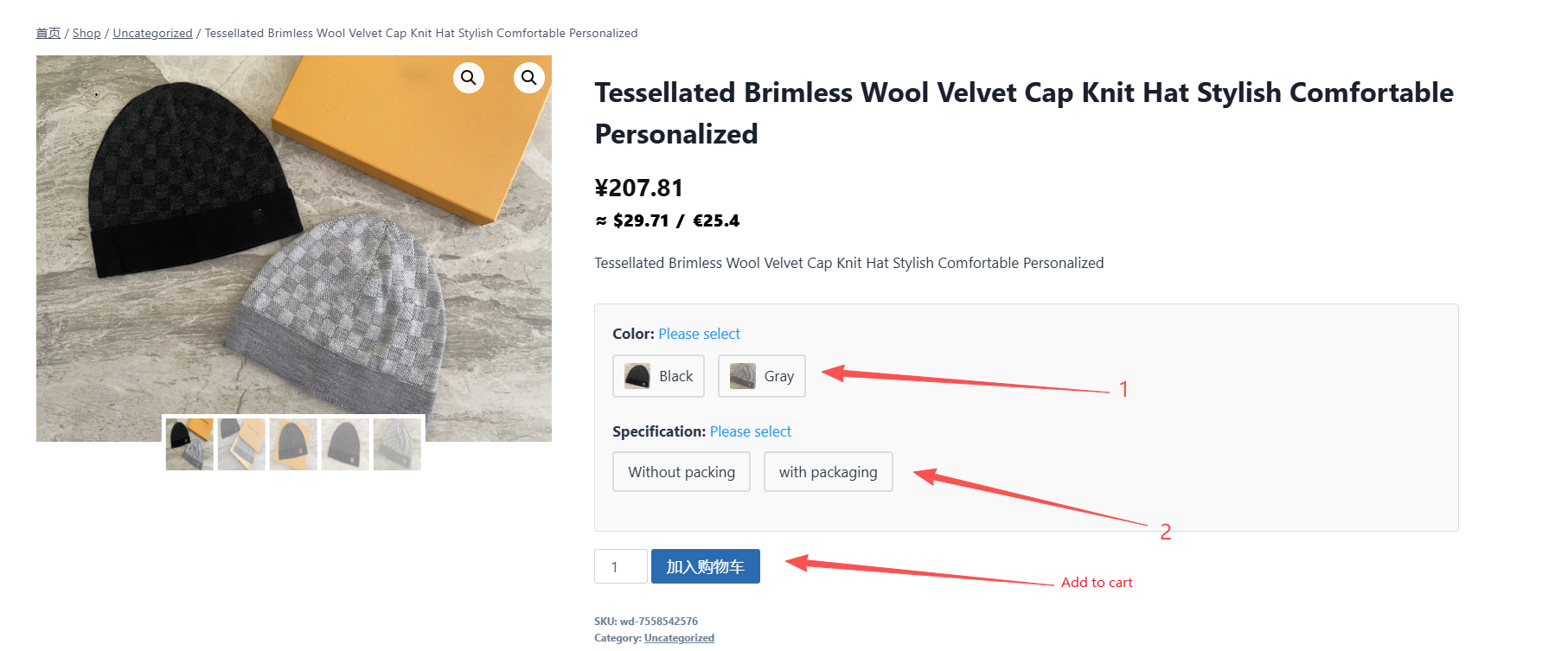
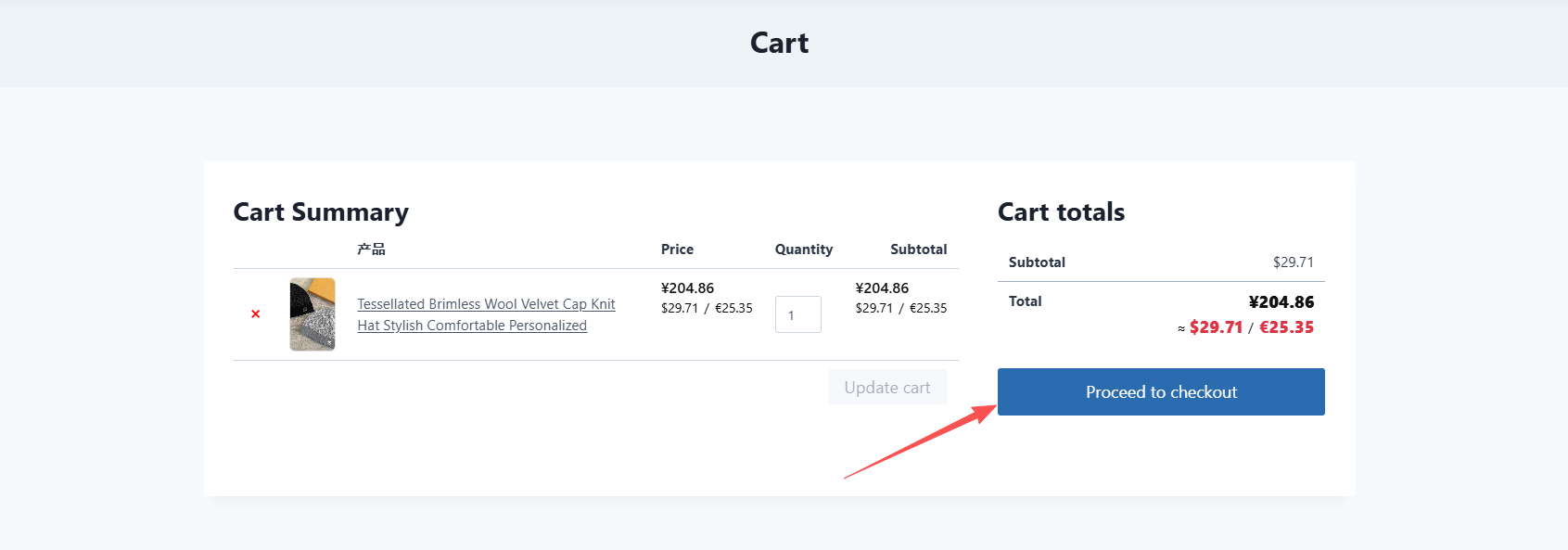
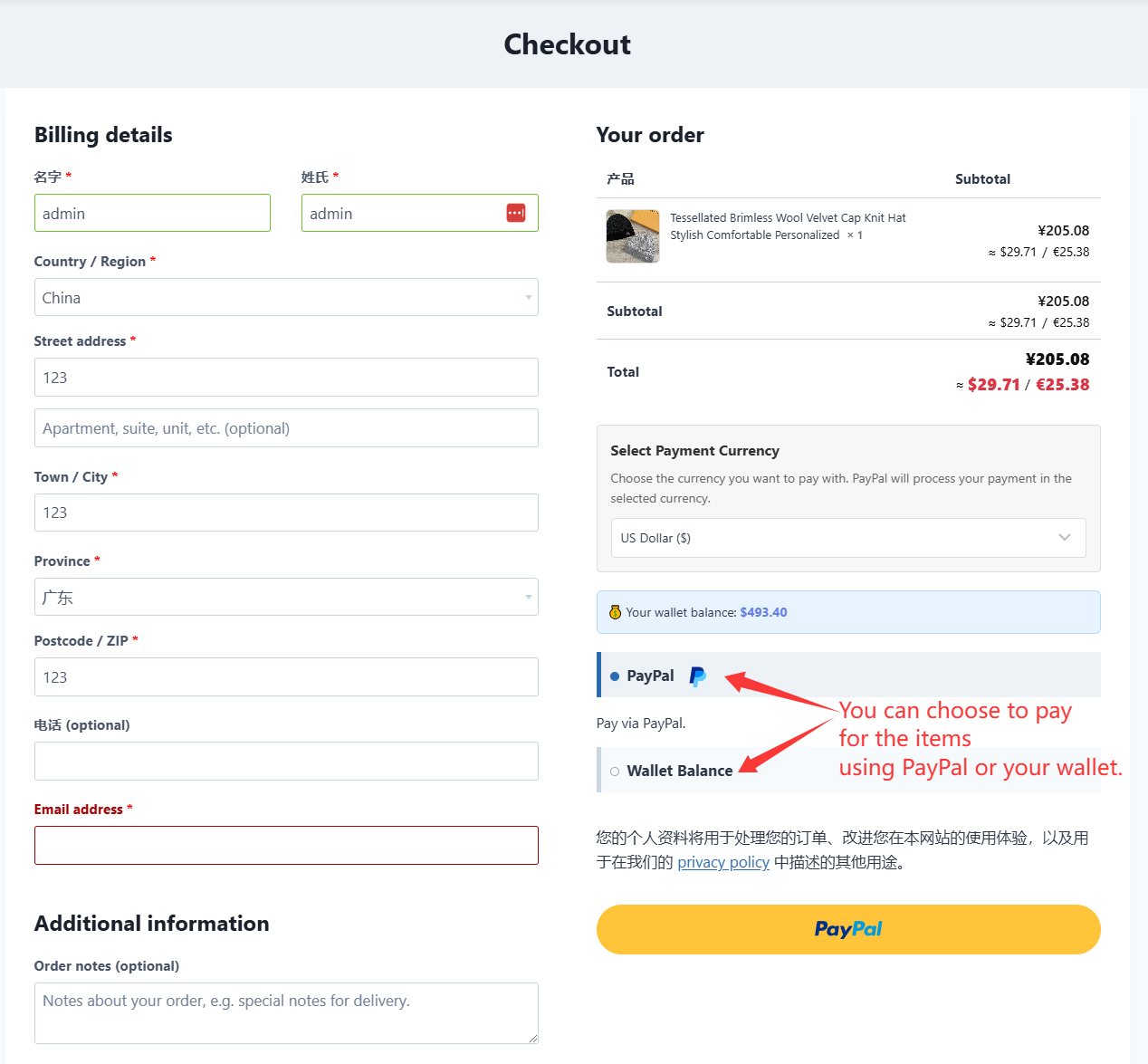
COn the product detail page, you can view additional product images, colors, and styles. You can then add items to your cart and proceed to checkout.
Order Processing Section
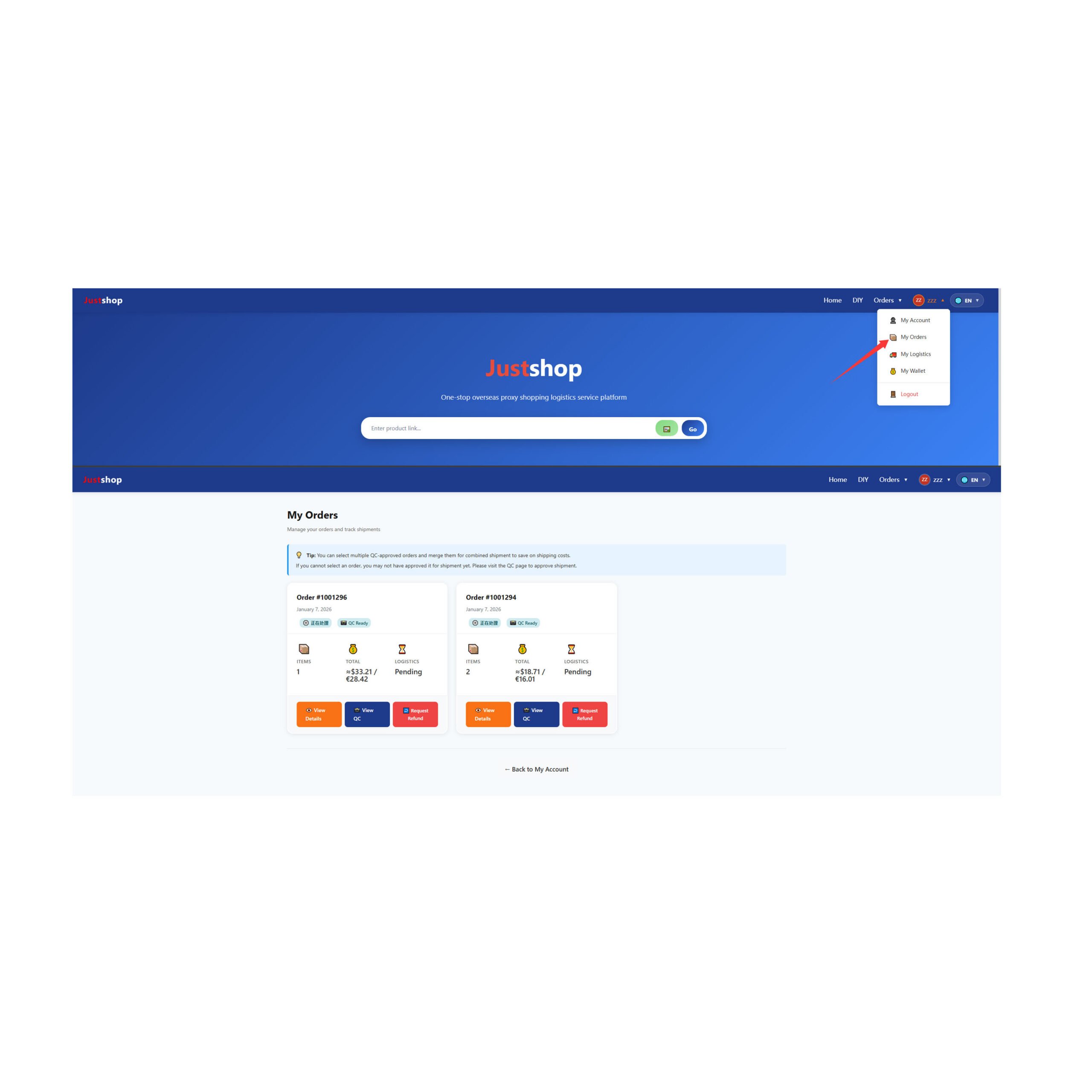
AAfter completing your payment, our platform will proceed to purchase the items on the corresponding platform based on your selection. You can click “My Orders” under your profile picture to view all your orders on the order page.
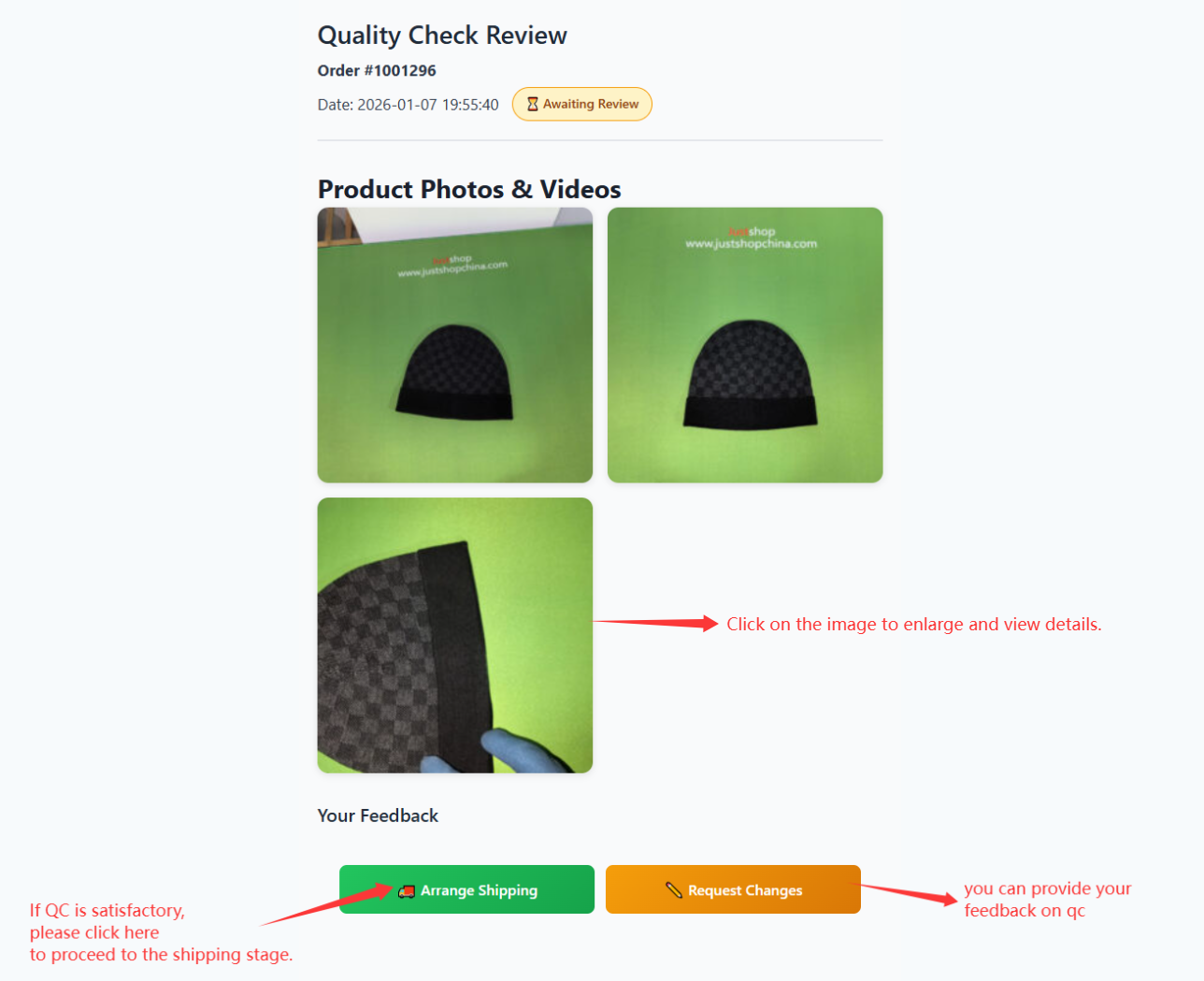
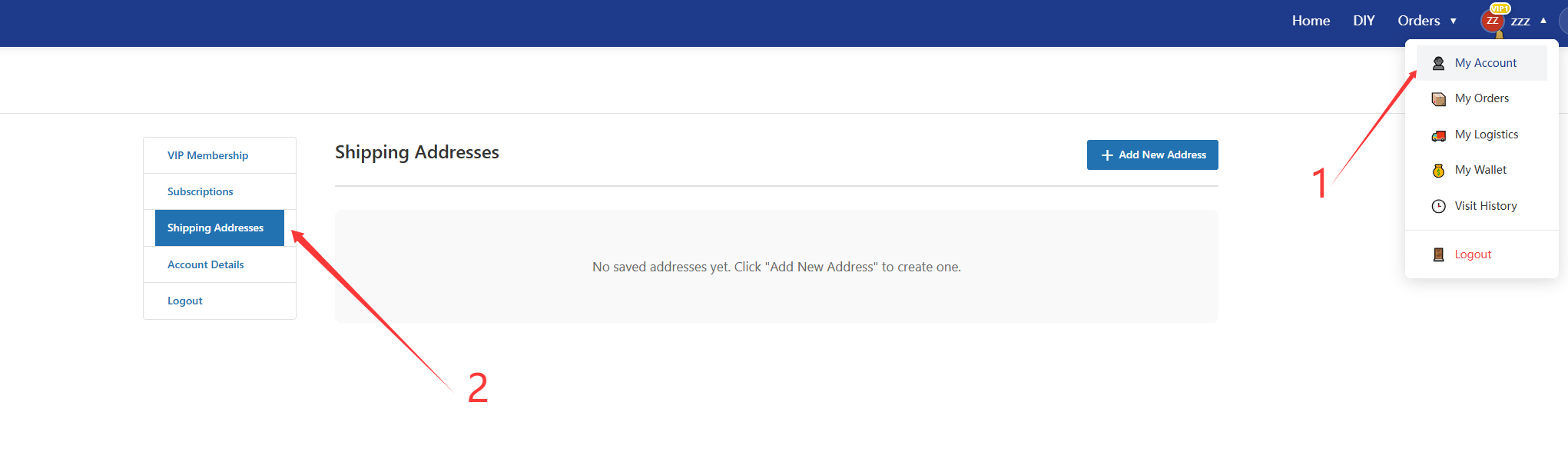
BWhen a product is purchased on the JustShop platform, we will upload QC images to the order. You can click the View QC button to view the QC images. CWhen you first arrange a shipment, if you haven't entered a shipping address, we will automatically redirect you to your account page to fill it in.
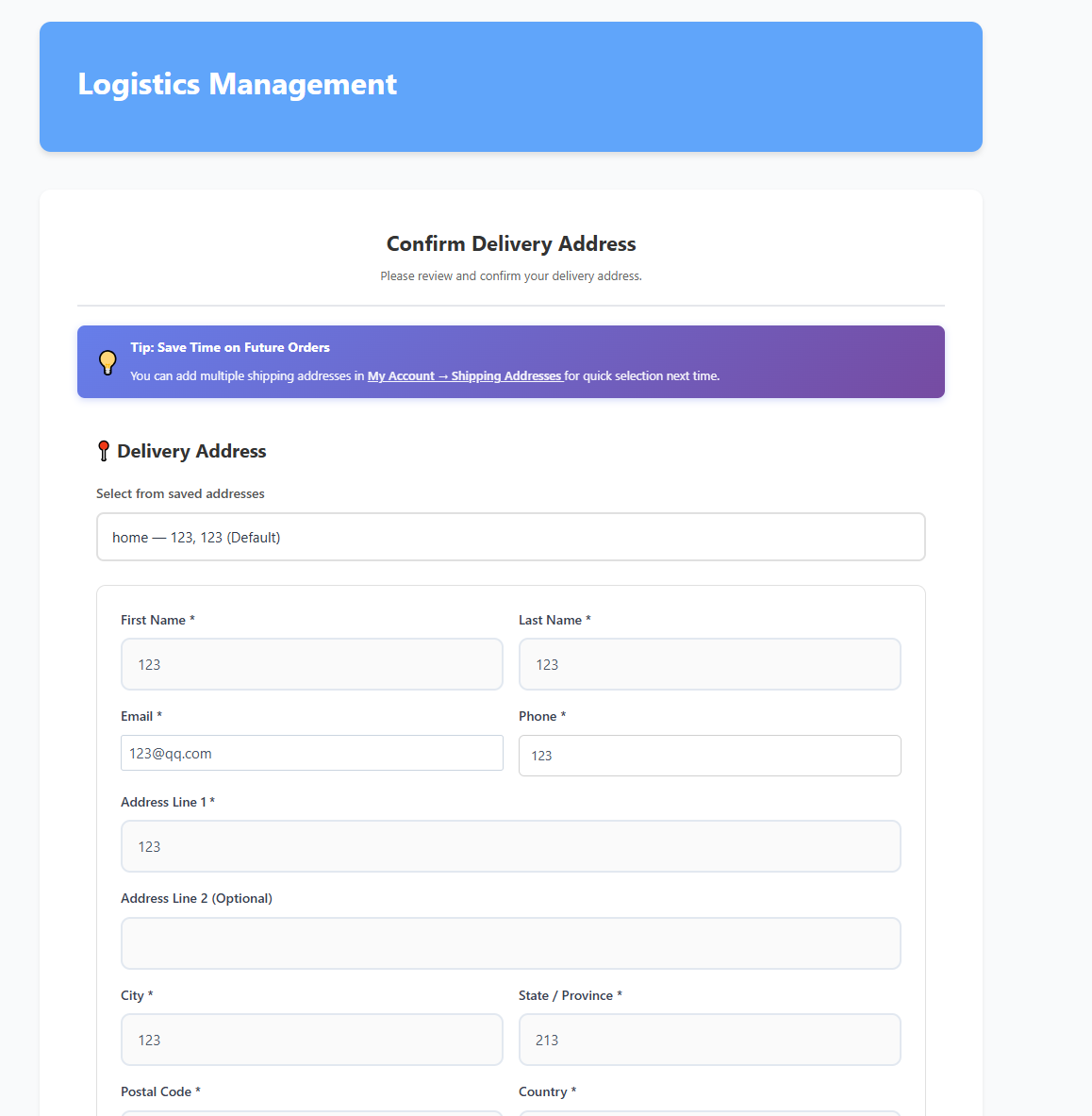
This address will be automatically populated in subsequent shipping forms, so we strongly recommend completing it before shipping. Please refer to the arrow in the image for the exact location. DOnce you have a frequently used address, clicking “Agree to Ship” will redirect you to the address confirmation page.
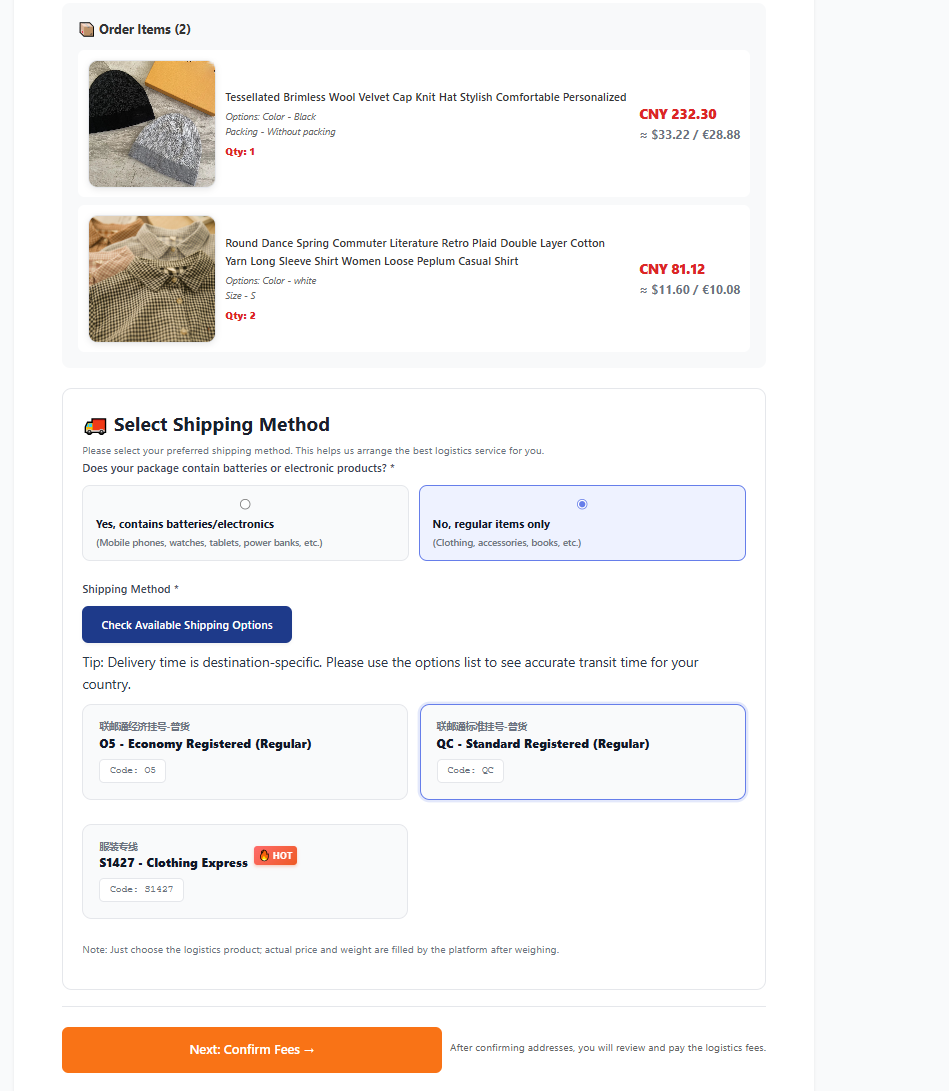
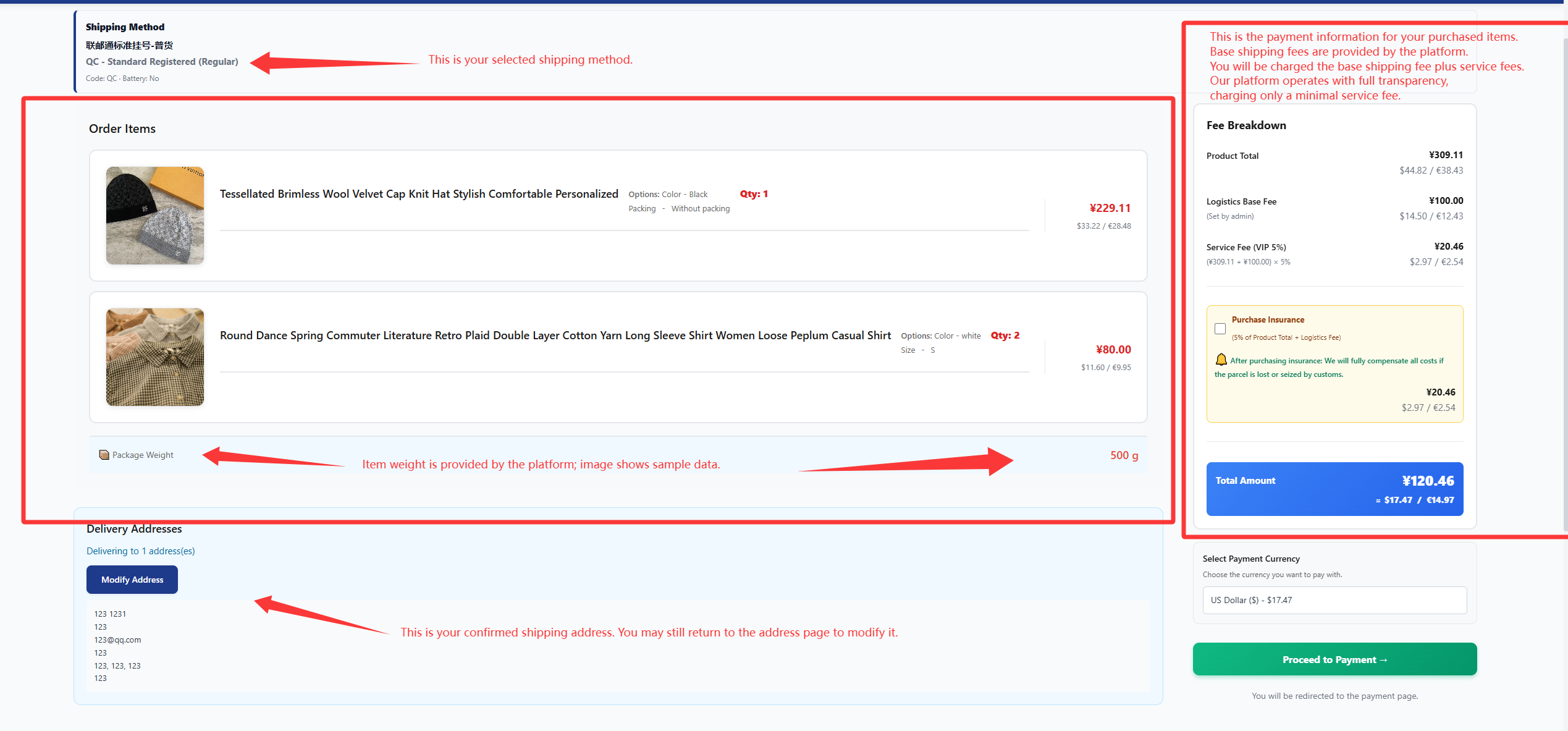
On this page, you can preview the items in your order, confirm the shipping address, and select the appropriate shipping method.
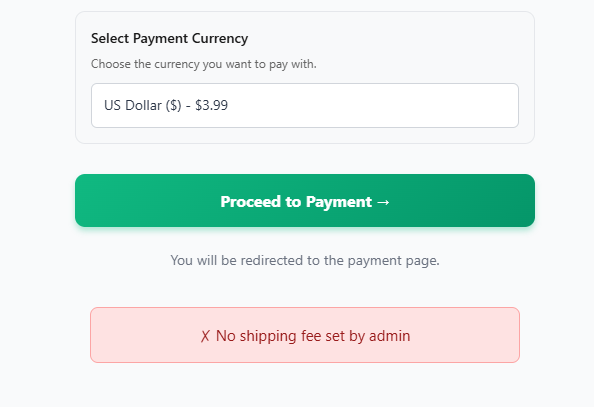
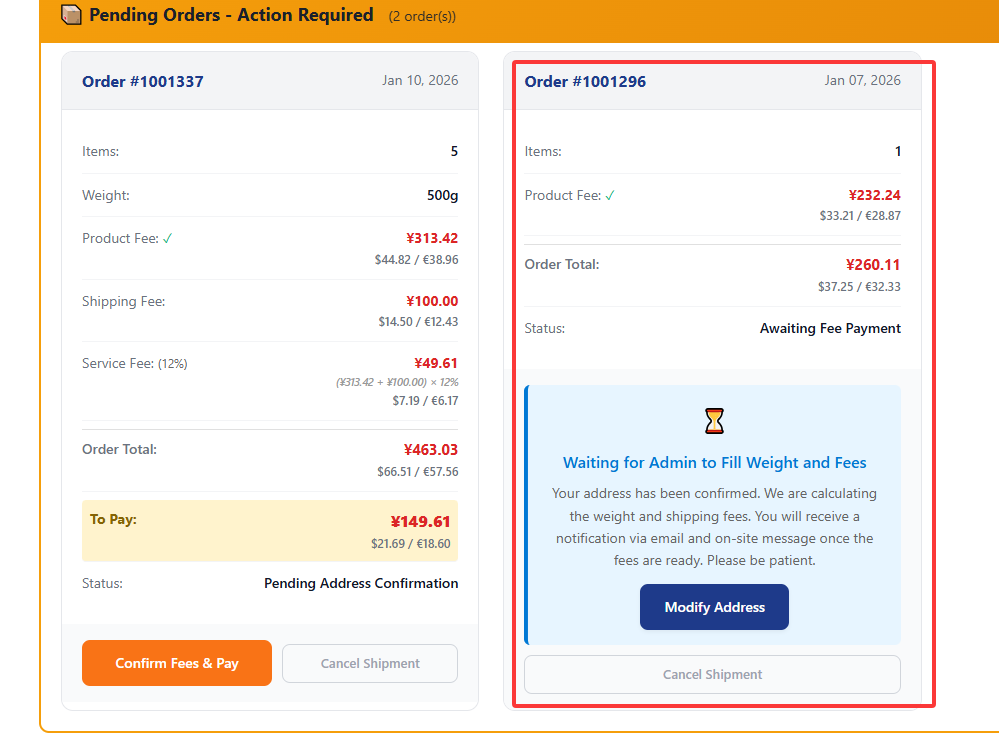
If your order contains multiple items requiring separate shipments, you can choose to ship them separately. EAfter confirming the address and fees, you won't be able to pay immediately. The platform needs to input the weight and base shipping charges first. So when you see this prompt, don't worry—it's normal. FAt this point, when you return to your logistics center, you'll see a prompt indicating that the platform administrator is reviewing the fees. Once the platform confirms the fees, a notification bell will appear next to your profile picture, and you'll also receive an email alert. After that, the order can proceed with payment as usual.
Below is the QC image style.
Payment and Tracking of Logistics Fees
AOnce the platform confirms the fees, you can proceed to the order that was previously on hold for fee completion to make the payment.
BPlease carefully review the charges. If you have any concerns, do not proceed with payment.
Locate our chat window to provide feedback. Alternatively, you may email us at Customer@justshopchina.com to report order issues.
If you confirm the charges are correct, you can click the green “Proceed to Payment” button to settle the bill.

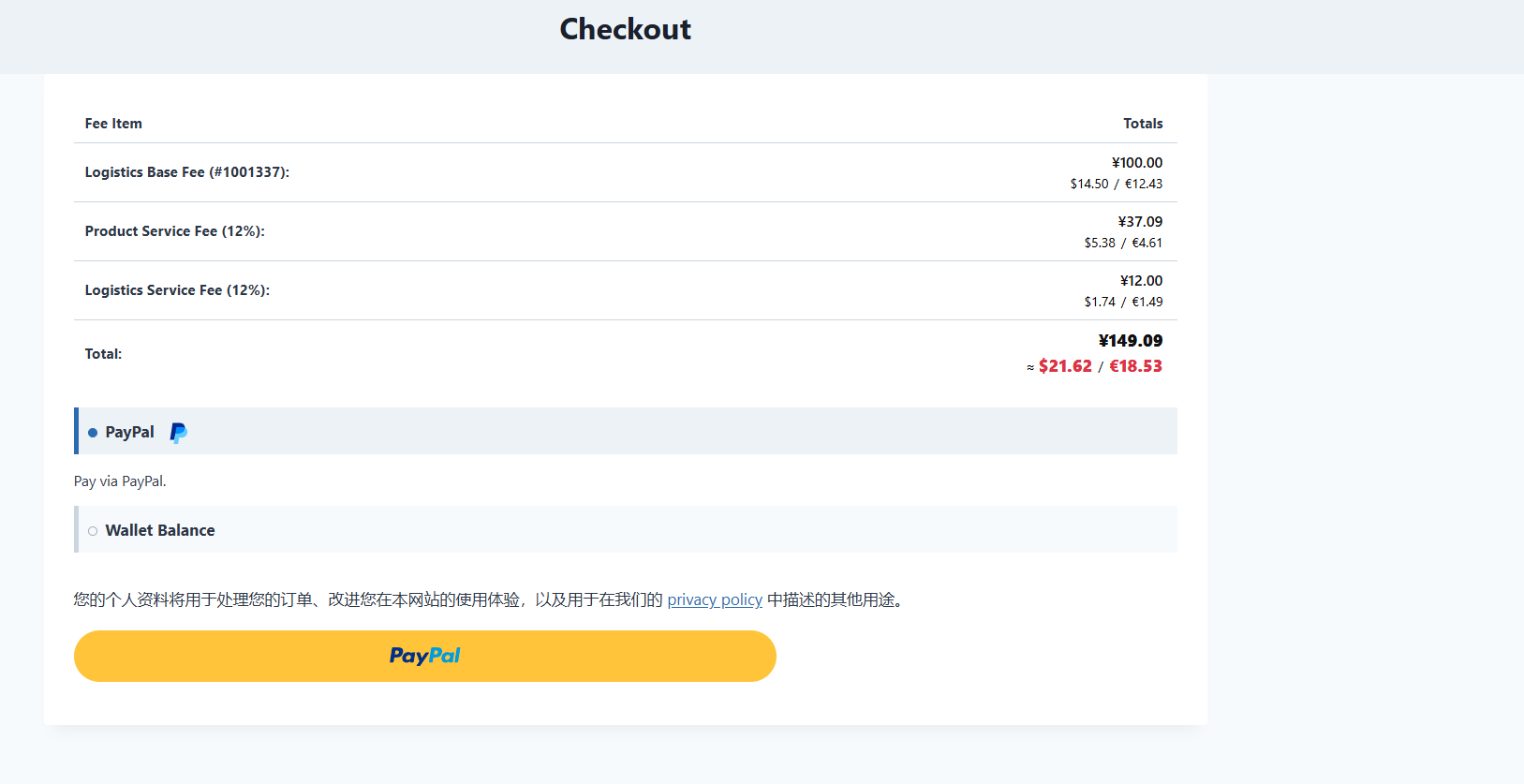
CProceed to the payment page and please double-check the amount.
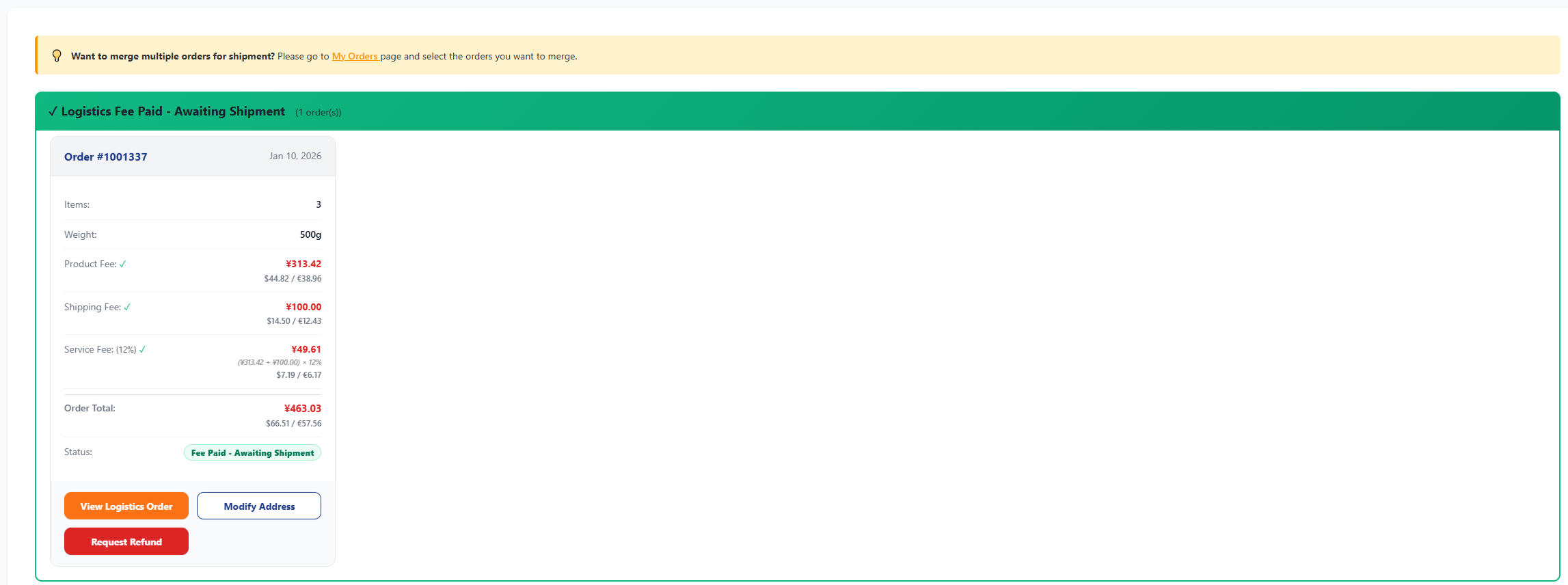
DAfter your payment is successful, return to your logistics center, and you will see an order awaiting the platform to fill in the shipping tracking number,When the platform has completed entering the tracking number, you will be able to start tracking your order.
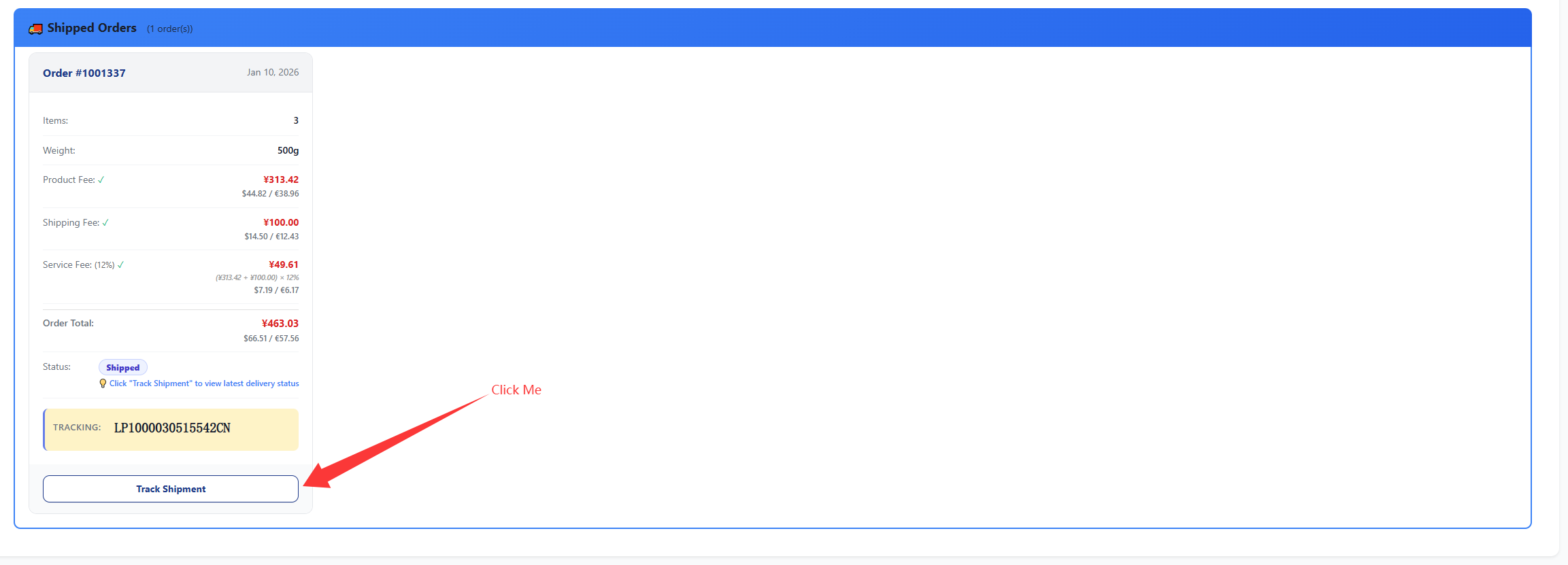
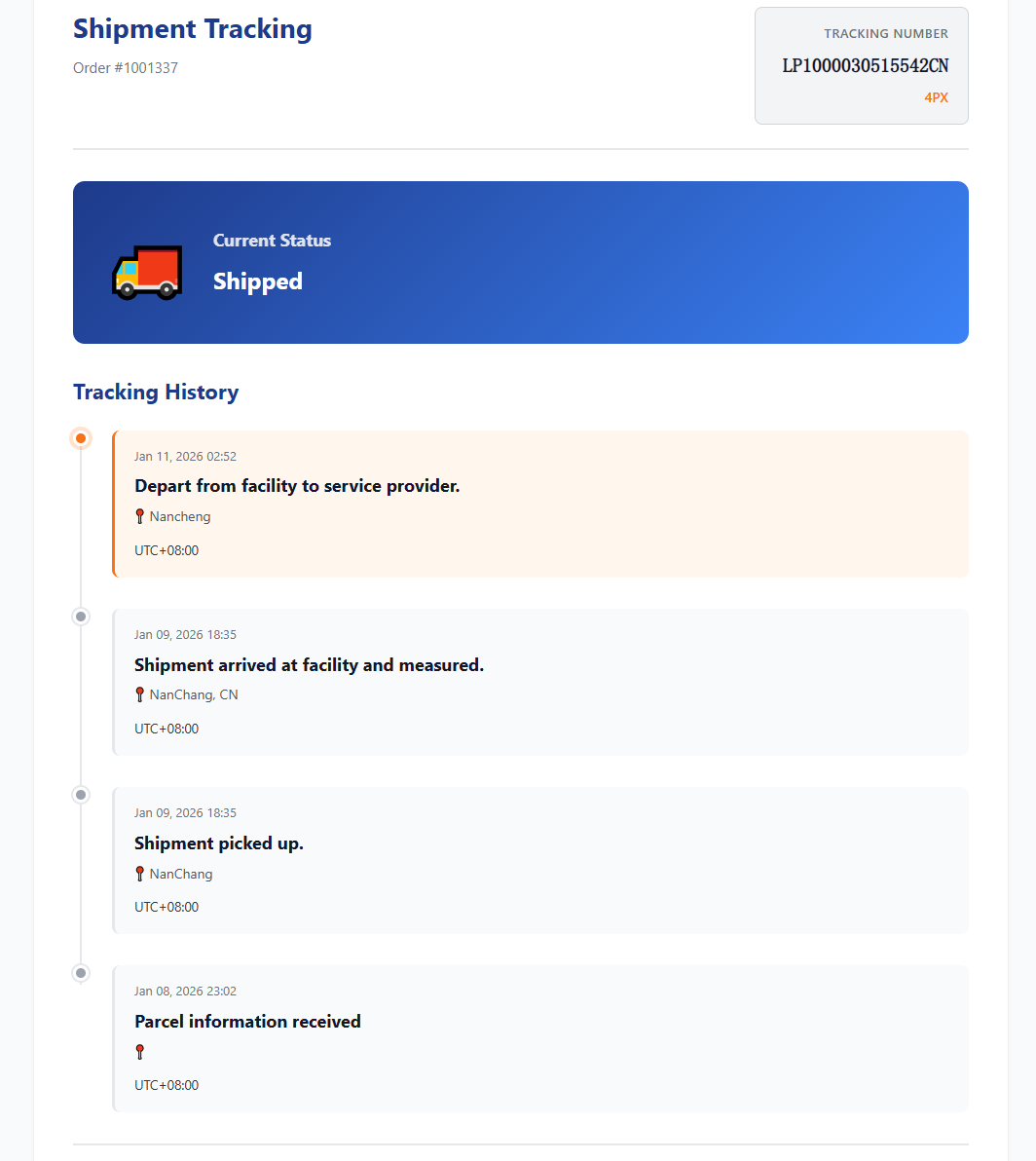
EYour shopping experience on this platform is now complete. Thank you again for trying our service.

How to Use This Platform
AHow to Contact Us Immediately
Our working hours are generally from 10:00 AM to 2:00 AM Beijing Time. We typically respond to messages received during these hours. You can click the purple chat button on the Home page to contact us.
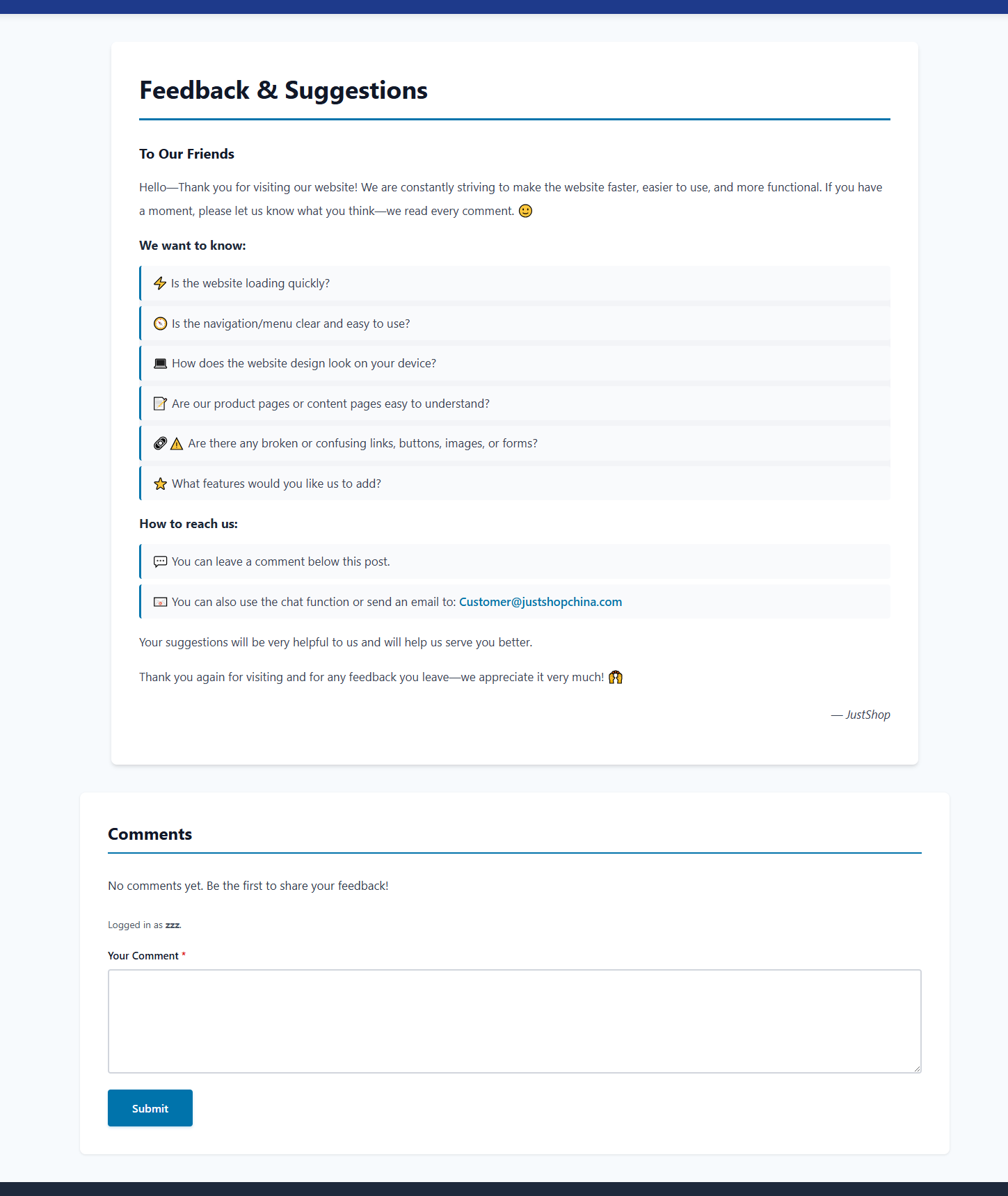
BYou may click the feedback link in the footer to provide your feedback to the platform. We will carefully review and respond to your comments.
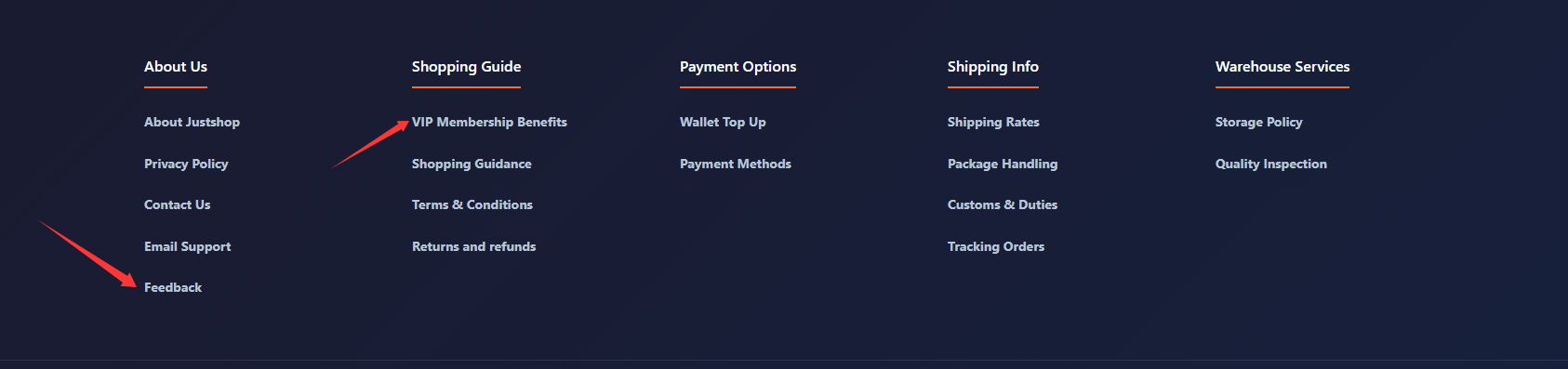
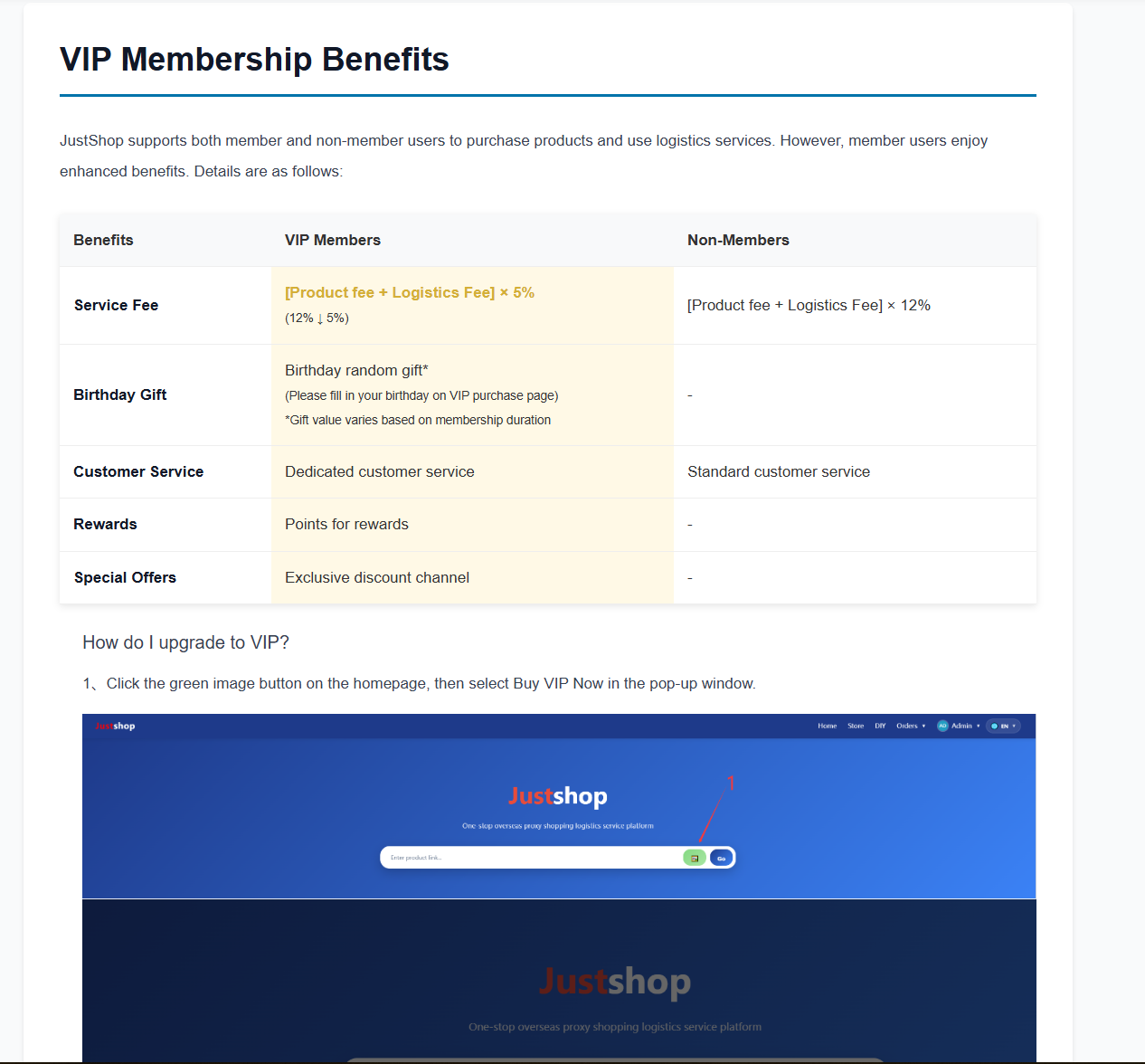
CAlso in the footer section, click the “VIP Benefits” option to learn about VIP privileges and how to upgrade to VIP status.